
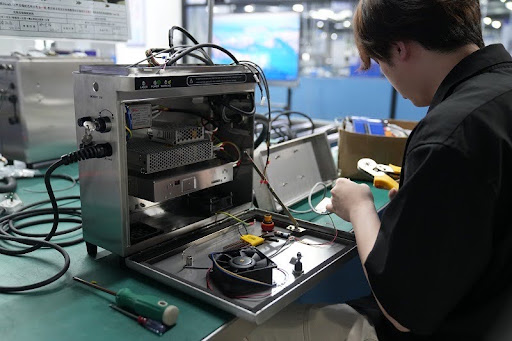

Setting up a portable fiber laser marking machine correctly is essential for producing clear, repeatable marks on suitable metal components. Even a capable machine may deliver poor results if the workpiece is positioned incorrectly, the focus is unsuitable, or the marking parameters do not match the material.
Portable systems are useful for marking large parts, industrial equipment, tools, and components that are difficult to move. Their flexibility can improve workflow, but reliable performance depends on preparation, operator training, and proper safety controls.
This article explains the main steps involved in preparing and operating a portable fiber laser marking machine.
Understand the Machine Before Installation
Before using a portable fiber laser marking machine, review the manufacturer’s operating manual and technical documentation.
Identify the laser source, marking head, controller, software, power requirements, and safety features. Confirm the machine’s supported materials, marking field, working distance, and environmental limits.
Different models have different operating procedures. Do not assume that instructions for one system apply to another, particularly when laser classification and safety controls differ.
If the machine will be used by several employees, designate trained operators and establish a written operating procedure.
Prepare a Suitable Work Area
The work area should provide enough room to position the marking head, secure the component, and operate the controller without interference.
Remove unnecessary objects from the marking zone. Restrict access to authorized personnel and implement the engineering controls required by the machine’s laser classification.
Metal surfaces can reflect laser radiation, so the work area must be planned to control direct and reflected exposure. Use an appropriate enclosure or controlled marking zone where required.
If the process may produce fumes or airborne particles, install suitable extraction and ventilation based on the material being marked. Coatings and surface treatments may produce contaminants that require special consideration.
Inspect the Equipment
Before connecting or operating the machine, inspect the external cables, connectors, marking head, and controller for visible damage.
Confirm that the electrical supply matches the manufacturer’s requirements. Make sure any protective covers and required safety devices are installed and functioning.
Do not use damaged equipment or attempt to bypass safety interlocks. If the machine has been transported, follow the manufacturer’s instructions for inspection and setup before operation.
Prepare the Workpiece
The material should be suitable for the laser system. Fiber lasers commonly mark metals such as stainless steel, carbon steel, aluminum, and certain brass alloys.
Check the workpiece for oil, dirt, loose coatings, or other surface conditions that could affect the result. Clean the surface using a method appropriate for the material and workplace safety requirements.
Secure the component so it cannot move during marking. Movement can distort text, logos, and codes.
For large or irregular parts, confirm that the marking head can reach the target surface while remaining within the machine’s specified working distance.
Configure the Marking Software
The software determines the text, graphic, or code that the machine will mark.
Create or import the required design and check the spelling, dimensions, alignment, and orientation. For serial numbers or production codes, verify the data before starting a batch.
If the design contains a barcode or QR code, check its dimensions and intended scanning distance. A code must be readable by the actual scanner used in the business, not simply visible to the operator.
Use a test design when preparing a new job. Confirm that the intended marking field and layout match the available surface.
Select Suitable Marking Parameters
Marking parameters affect the depth, contrast, finish, and speed of the result. Important variables can include laser power, pulse settings, scanning speed, frequency, and focus, depending on the machine.
There is no single parameter combination that works for every material. Stainless steel, aluminum, and coated components may respond differently, even when processed on the same machine.
Begin with manufacturer-approved settings for the material and application. Test a representative sample and adjust only within the recommended operating range.
Excessive energy may cause unwanted surface damage, while insufficient energy can produce marks that are difficult to read. The goal is a consistent result that meets the application requirements.
Perform a Sample Mark
Before marking valuable components or a full production batch, create a sample on a comparable workpiece.
Inspect the mark for clarity, contrast, alignment, and dimensional accuracy. If durability is important, evaluate the sample under conditions representative of actual use.
For traceability applications, scan the code using the intended equipment and verify that the correct information is returned.
Document the successful settings and design version. A repeatable record can reduce setup time for future jobs and help operators avoid inconsistent results.
Operate the Machine Safely
A portable fiber laser marking machine can produce hazardous laser radiation. Exposure may cause severe eye injuries or skin damage, and reflective metal surfaces can create additional risks.
Follow the manufacturer’s safety instructions and applicable regulations. Use the required protective eyewear and engineering controls, and restrict access to the marking area.
Do not point the marking head toward people or operate the machine when the required safety arrangements are unavailable. Never disable interlocks or use the machine without appropriate training.
Use suitable extraction when processing materials that may produce hazardous fumes. If the material or coating is unknown, obtain guidance before marking it.
Maintain Consistent Marking Quality
Consistency depends on more than the laser settings. Workpiece position, surface condition, focus, software data, and operator technique can all affect the outcome.
Use fixtures or positioning guides where practical. Standardize design templates and inspection criteria, especially for repeated production jobs.
Periodically review marked components to identify fading, poor contrast, incorrect codes, or alignment problems. If the quality changes unexpectedly, stop and investigate rather than continuing to mark the entire batch.
Record equipment issues and maintenance activities to support troubleshooting and planning.
Routine Maintenance
Follow the manufacturer’s maintenance schedule. Typical checks may include inspecting cables, cleaning external surfaces, verifying safety devices, and maintaining optical components using approved procedures.
Do not touch optical surfaces with bare fingers or use unapproved cleaning products. Avoid opening the laser source or controller unless the manufacturer authorizes the procedure.
Keep the machine in the recommended storage environment and protect it from dust, moisture, and physical damage during transport.
Common Setup Mistakes
A frequent mistake is starting production without testing the design on a sample. This can lead to incorrect text, unreadable codes, or inconsistent marks across an entire batch.
Another mistake is ignoring the workpiece’s surface condition. Oil, coatings, and variations in finish can change the marking result.
Operators may also overlook the specified working distance or assume that a portable machine can mark any surface from any angle. Follow the equipment’s positioning requirements and secure the head appropriately.
Finally, never compromise safety to save setup time. Proper controls and training are essential parts of the marking process.
Frequently Asked Questions
What should I check before starting a portable fiber laser marking machine?
Inspect the equipment, verify the workpiece material, prepare the work area, check the design, confirm safety controls, and follow the manufacturer’s setup procedure.
Why is a sample mark important?
A sample confirms that the settings produce the required appearance and readability before valuable components or full production batches are marked.
Can the same settings be used for every metal?
No. Different alloys, coatings, surface finishes, and marking objectives may require different parameters.
How often should the machine be maintained?
Follow the manufacturer’s maintenance schedule. Inspection frequency may depend on operating hours, working conditions, and the specific equipment model.
Conclusion
Correct setup helps a portable fiber laser marking machine produce accurate and consistent identification marks. Workpiece preparation, software verification, suitable parameters, and sample testing all contribute to better results.
Businesses should establish clear operating procedures, train their operators, and follow the manufacturer’s safety and maintenance requirements. With a carefully controlled workflow, portable laser marking can support efficient product identification and reliable traceability.